The survey your playtesters actually finish.
Pixel Refraction Studio already had RefractTrack for tracking tasks and bugs — what it didn't have was a clean way to collect structured feedback from closed-beta testers without making them create an account. RefractSurvey is that tool: a self-hosted survey builder, built as RefractTrack's sibling on the same look and permission system, made for one-time-code playtests and post-session check-ins instead of ongoing task tracking.

Groups and questions, arranged however the flow calls for
Build a survey as groups of questions — Steam page reactions, playtest impressions, a bit about who's answering — and drag everything into whatever order makes sense. A survey locks automatically the moment it goes active, so nobody edits a question out from under a tester who's mid-response.
Every question, every group, and every answer option can be dragged into a new order right on the page — no separate "reorder" mode to hunt for.
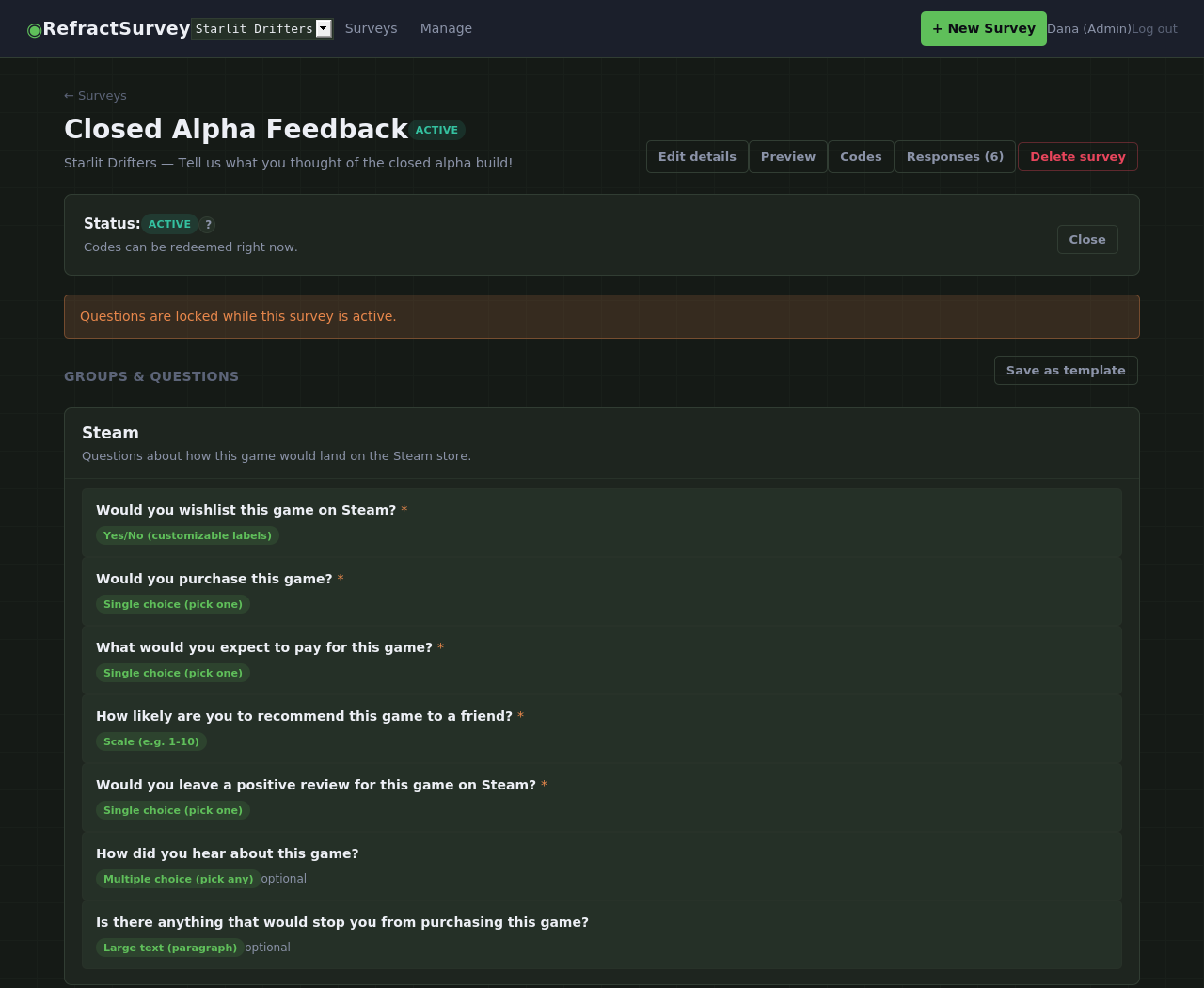
Every question type you'd actually reach for
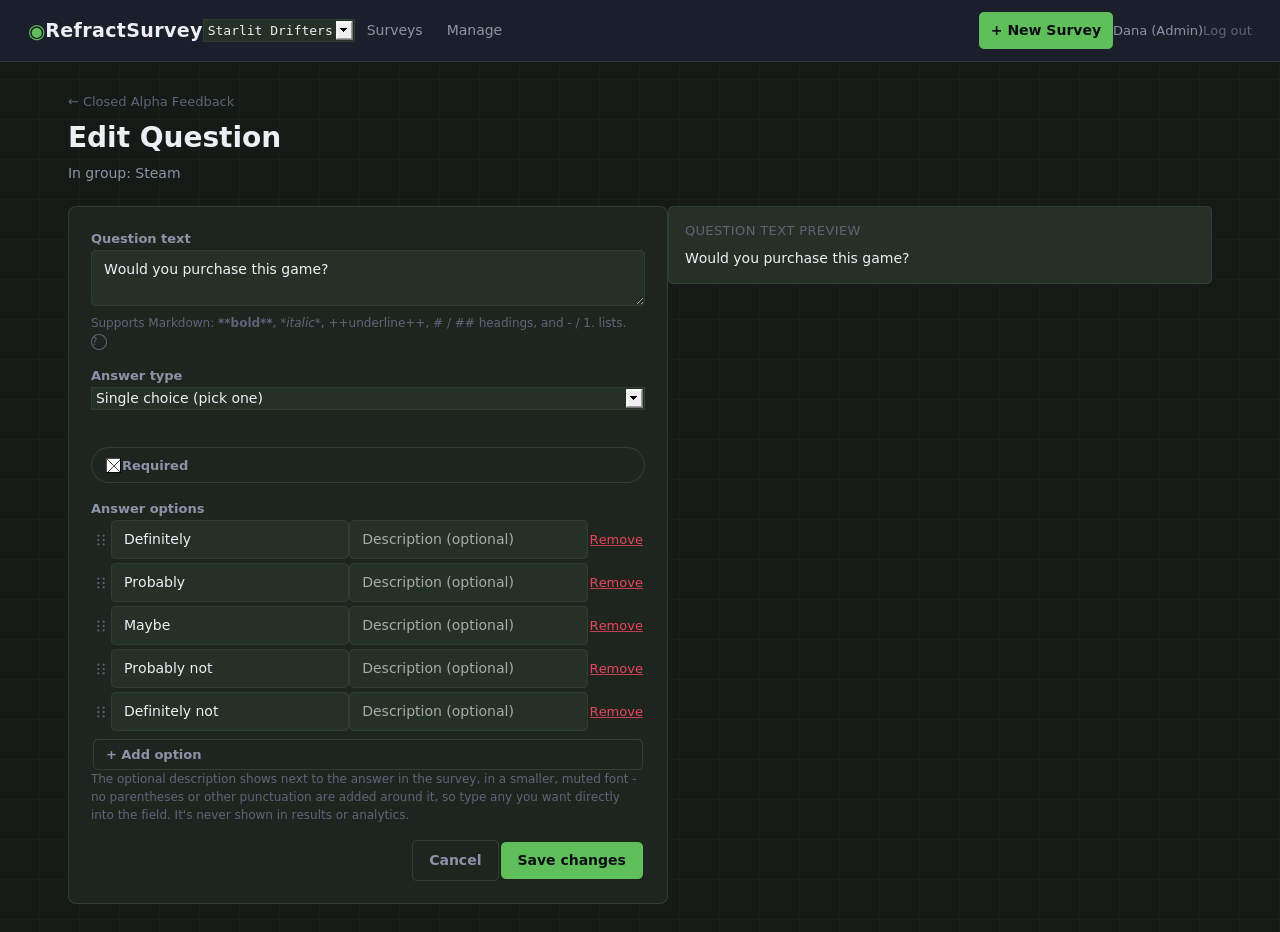
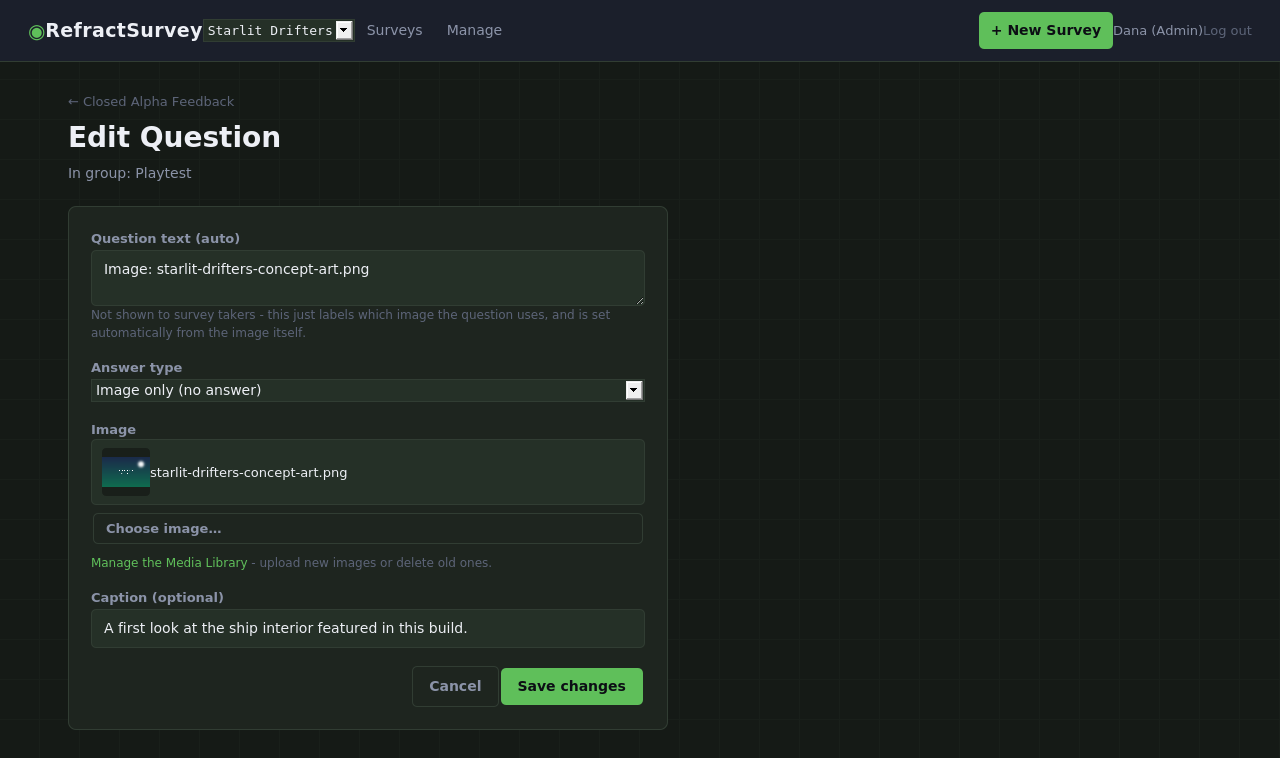
Short text, long paragraphs, yes/no with custom labels, numeric scales with labeled ends, single and multiple choice, dates, email, numbers, a plain description block for context, an image block, and a clickable link block — thirteen types in all, each with just the settings that type actually needs.
Question text and long written answers both support light formatting — bold, italics, underline, headings, and lists — so instructions and feedback alike are easy to read, without turning into a full document editor.
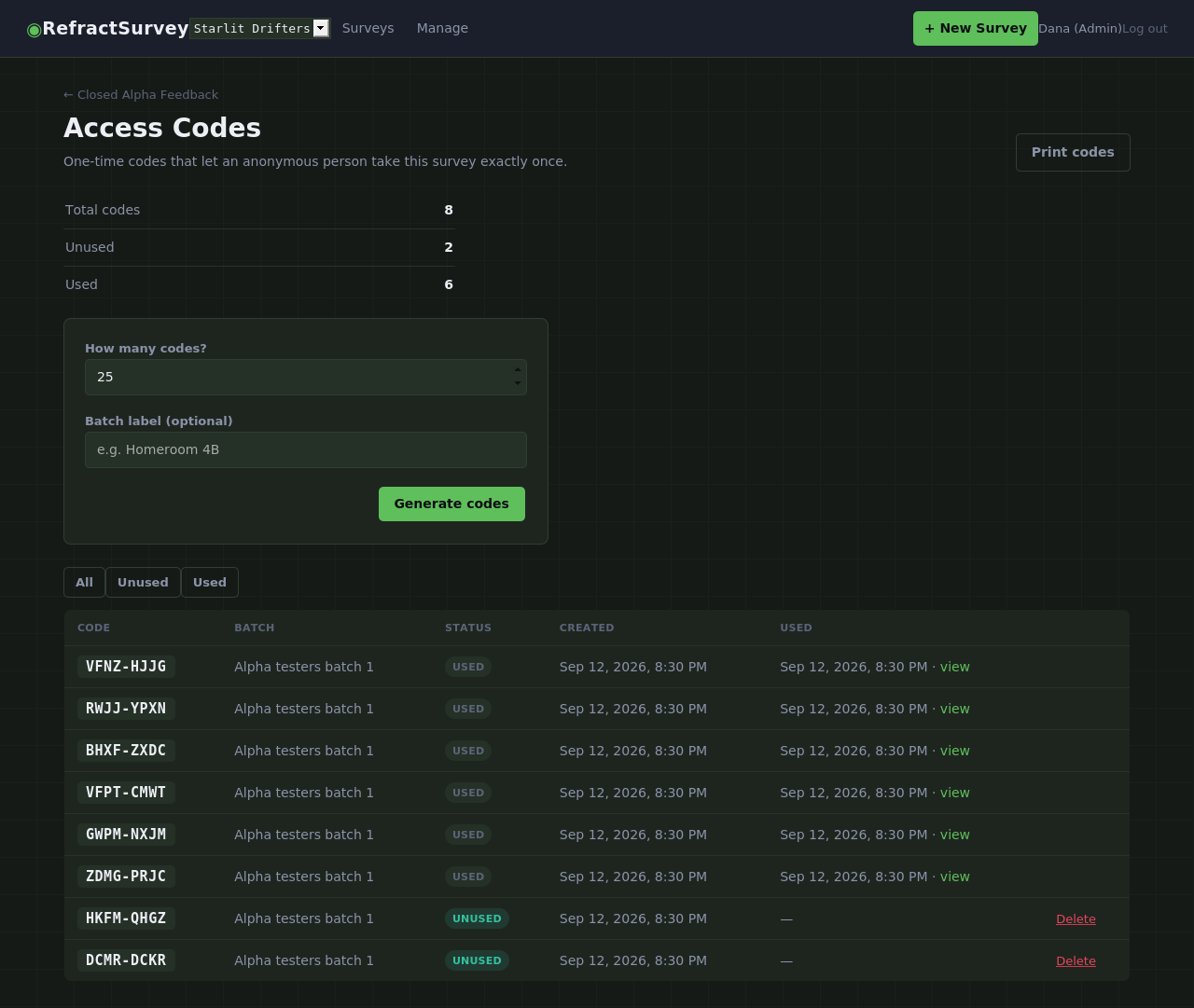
One-time codes that let a tester in exactly once
Generate a batch of codes, label it, and hand them out however testers reach you — Discord, email, or a printed sheet at a playtest event. Each code works exactly once, so there's no account to create and no way to accidentally double-submit.
Guessing at a code is a dead end, too — repeated wrong attempts get slower and slower automatically, whether someone's typing on the entry screen or poking directly at a survey link.
What a tester actually sees — no clutter, no distractions
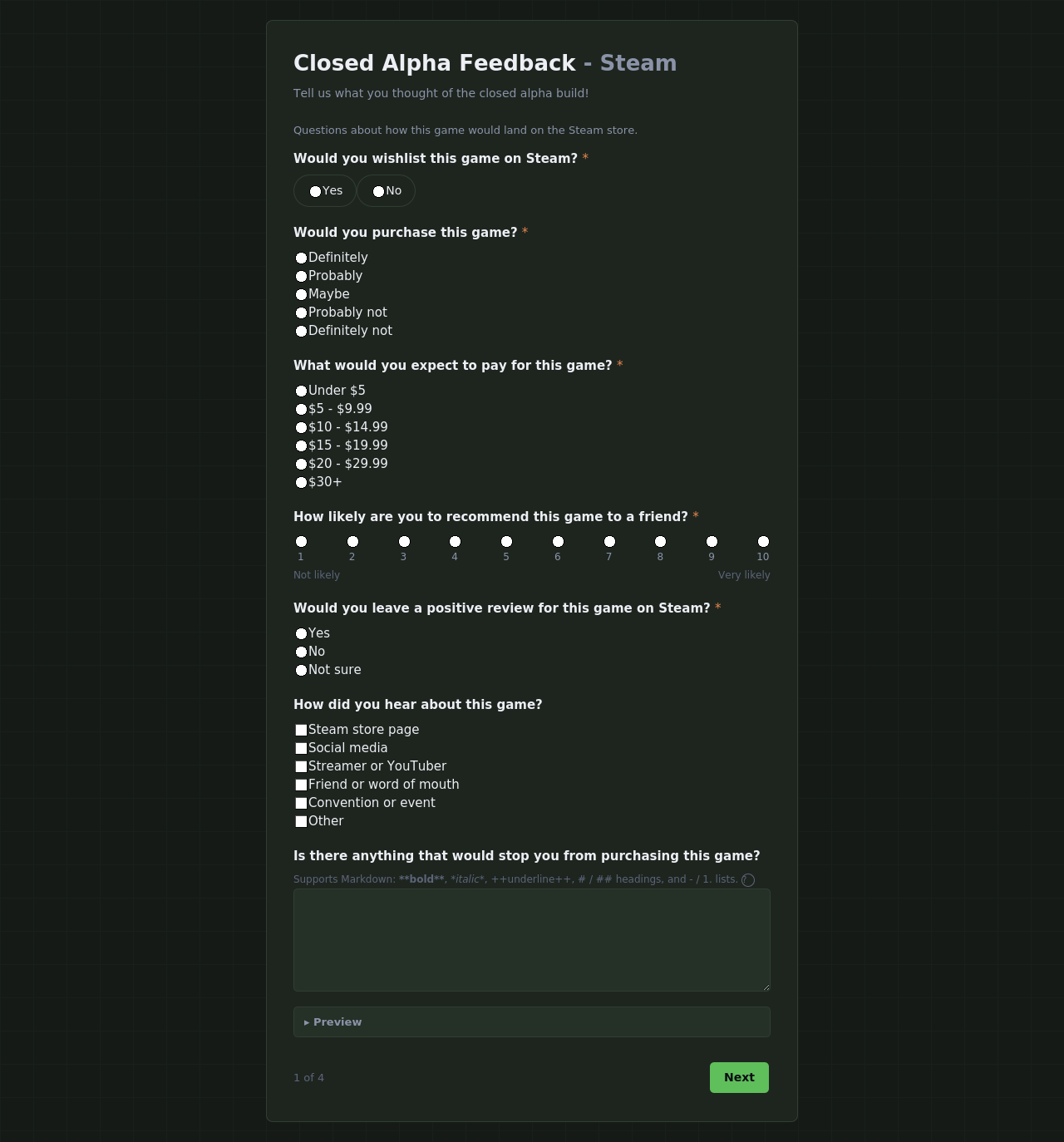
An anonymous respondent lands on a plain code-entry screen, and once they're in, the survey itself is just the survey: no navigation bar, no project switcher, nothing but the questions, a progress footer, and a Next button.
It's the same rendering staff use to preview a survey before publishing it, so what you check beforehand never drifts from what testers actually get.
Charted the moment responses start coming in
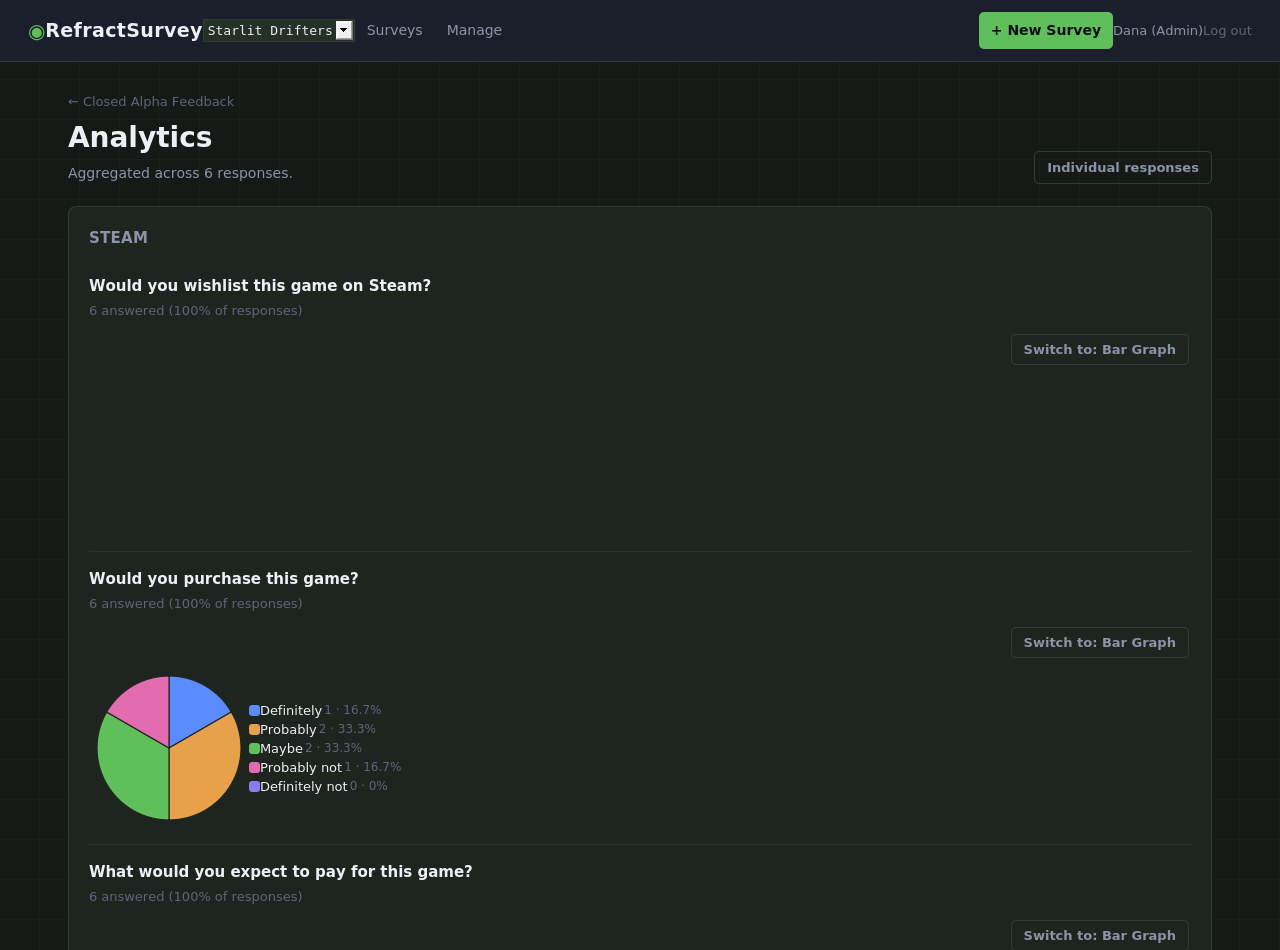
Every scale, choice, and yes/no question gets its own chart automatically — switch any of them between a bar graph and a pie chart with one click, and your choice is remembered as you browse. Multi-select questions are flagged so their percentages can honestly add up to more than 100%.
Free-text questions skip the chart and link straight to individual responses instead, since there's nothing meaningful to chart in a paragraph.
Every response, laid out exactly like the survey itself
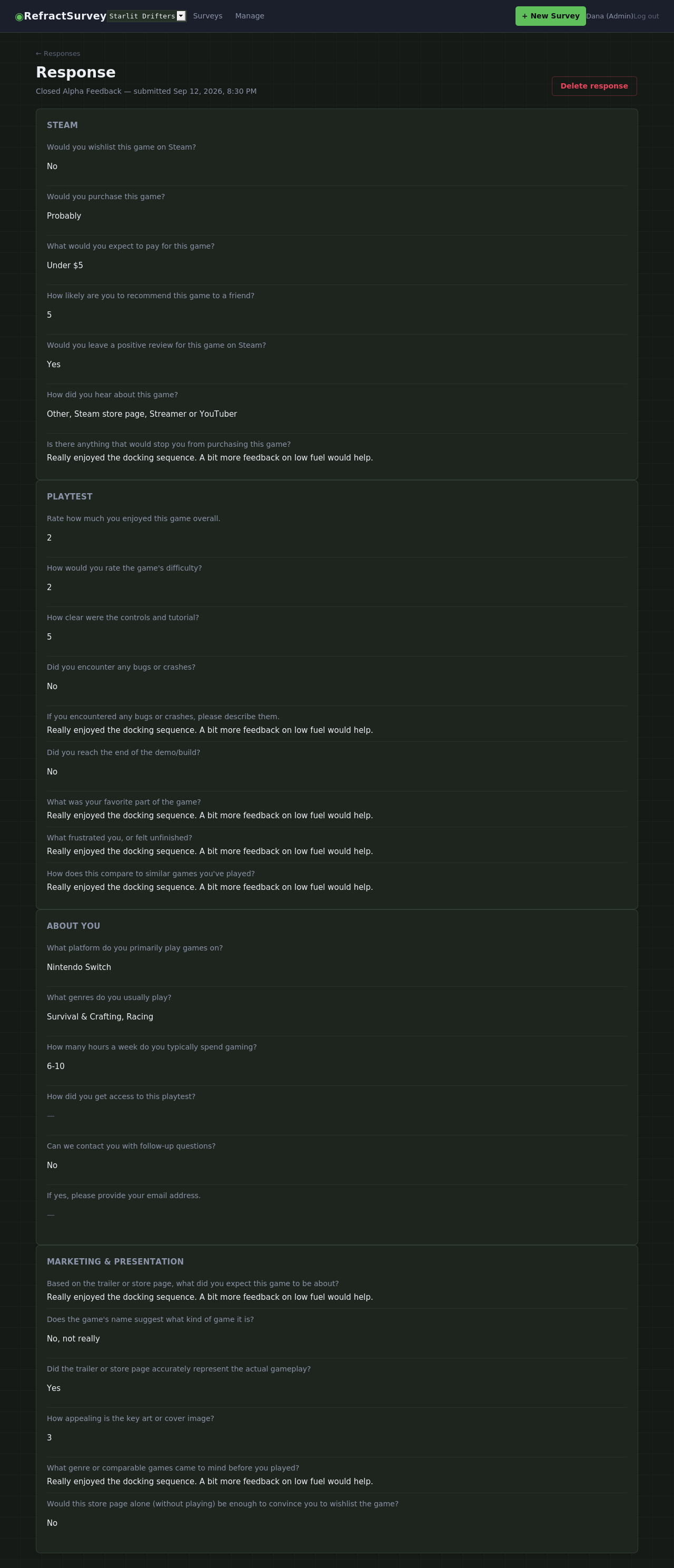
Need to read what one specific tester actually wrote? Every response opens as a clean, read-only copy of the survey, grouped the same way it was built — no question IDs to decode, no spreadsheet to scroll sideways through.
Screenshots and reference art, scoped to the project
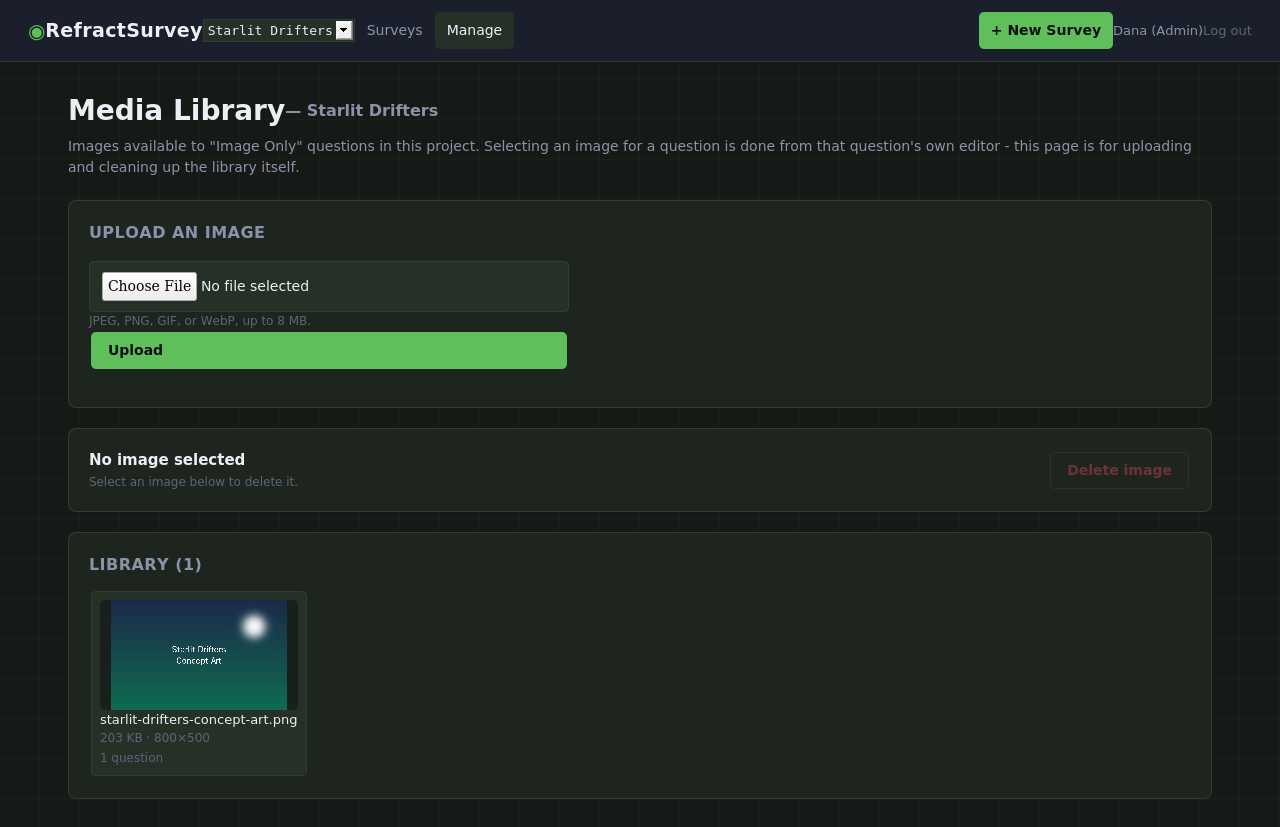
Upload once, reuse across any question in the project. Every image is checked to make sure it's actually a valid image on upload — not just trusted by its filename — and the library shows exactly how many questions use each one, so nothing gets deleted out from under a live survey.
Build it once, reuse it every session
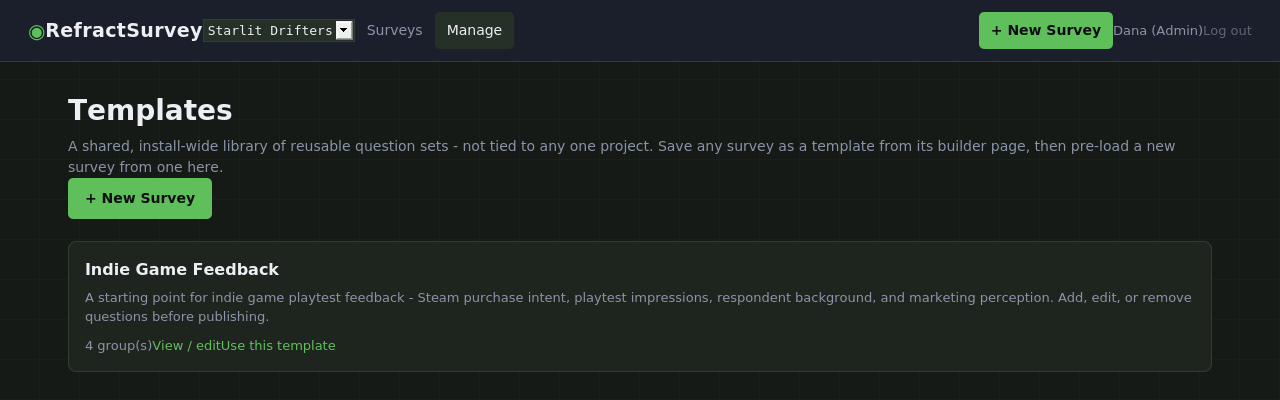
Save any survey as a template and it shows up as a starting point for the next one — same groups, same questions, none of the old codes or responses carried along. Every install starts with a ready-made "Indie Game Feedback" template, too: 28 questions across four groups, covering purchase intent, playtest impressions, who's answering, and how your store page landed.
Templates live in one shared library for your whole install, so a survey built for one project can just as easily kick off a new one somewhere else.
Your data is never locked in
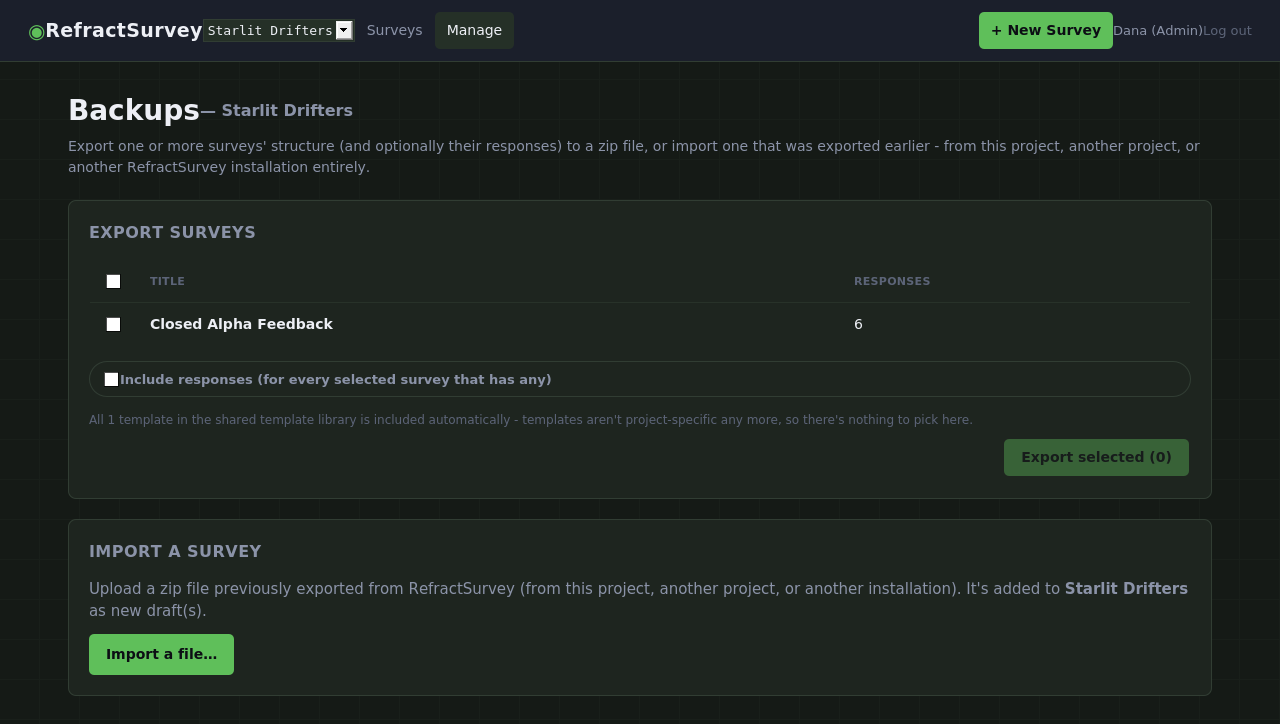
Export any set of surveys — structure only, or structure plus every response — to a single zip, and import it right back into this project, a different one, or a different install entirely. Access codes are deliberately left out of exports, since a code sheet belongs to one print run, not the survey itself.
Got a backup too large to comfortably upload through a browser? The same import also runs from the command line, for exactly that case.
Real access control, and room for a whole studio's worth of surveys
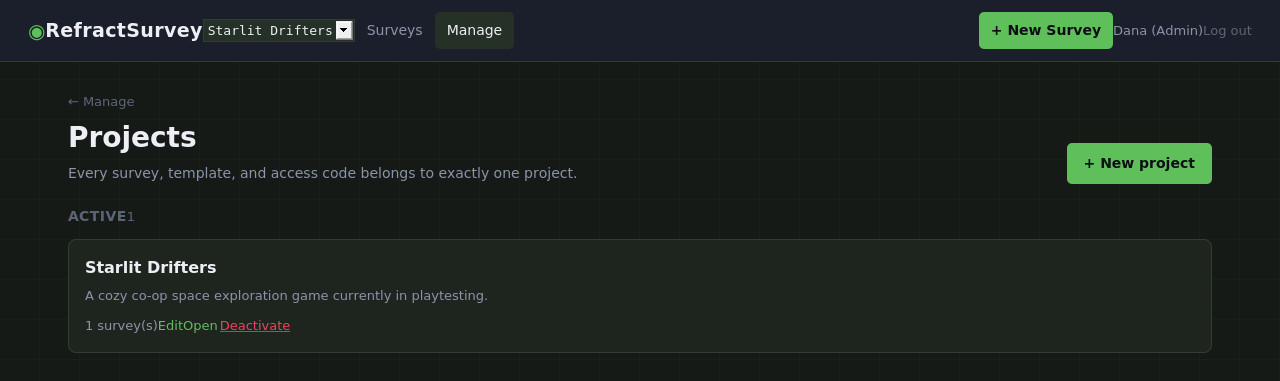
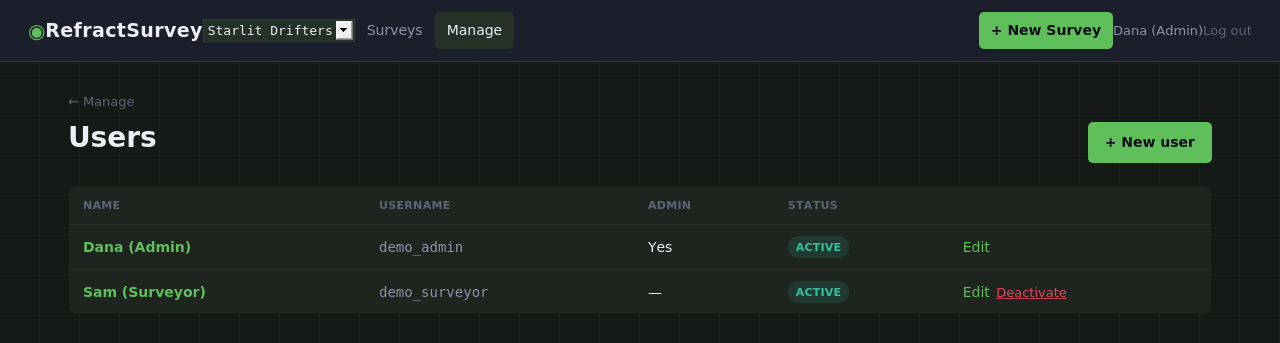
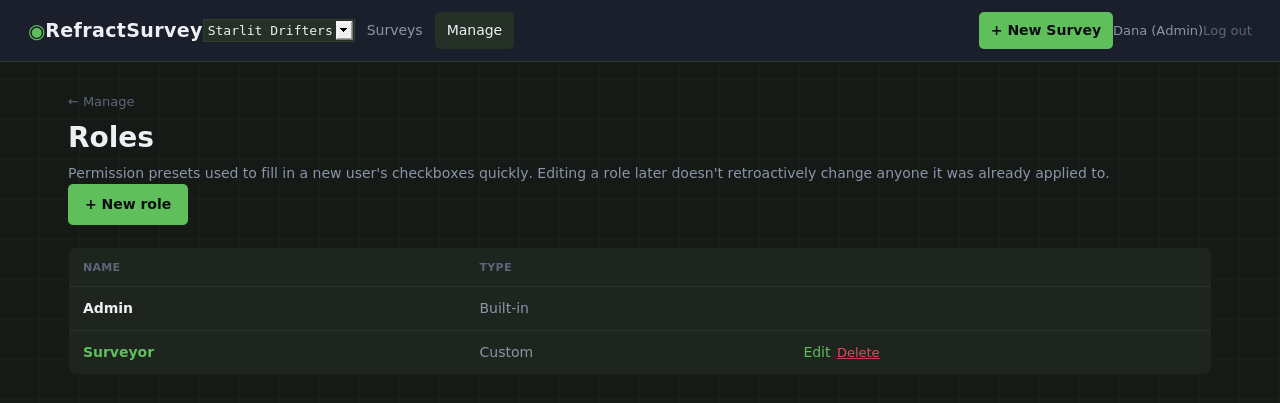
Every teammate gets exactly the access they need, scoped per project by default — holding a permission doesn't quietly grant it everywhere. Role presets fill in a new teammate's checkboxes in one click without becoming a leash: apply one, then adjust freely. And it's never just one project — run as many as your studio needs from a single install, each with its own surveys, codes, and media library.
Make it look like your studio's tool
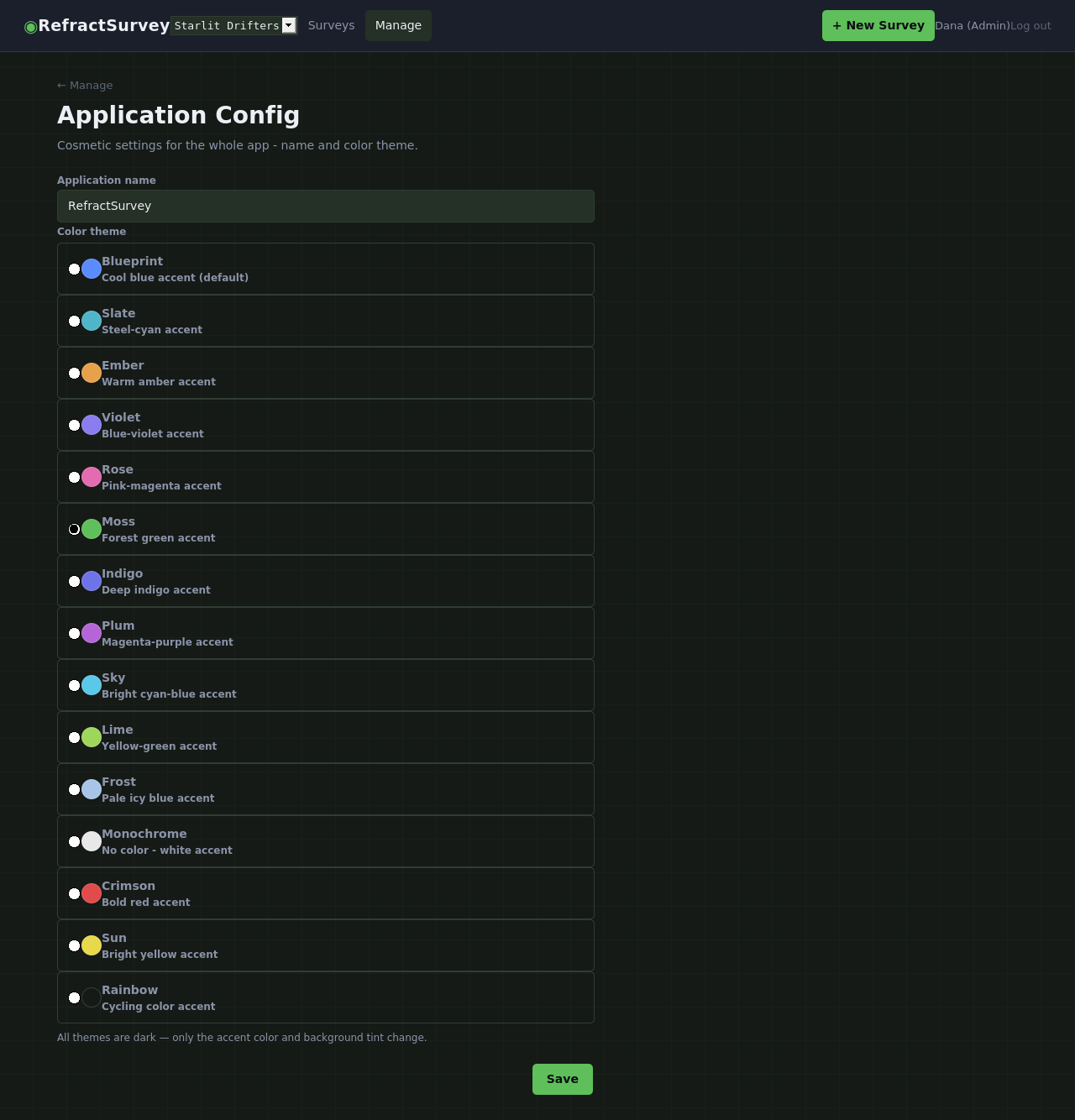
Fifteen accent-color themes — Moss included, which is what every screenshot on this page is running — plus a custom application name, both changeable in two clicks from inside the app. No file access, no redeploy, no touching a stylesheet.
Why teams pick RefractSurvey
Built for one-time testers
Access codes instead of accounts, so a playtester can give feedback without ever signing up for anything.
No seat fees, no usage tiers
Self-hosted on your own server — one purchase, no per-response billing, no monthly invoice.
Thirteen question types, one editor
Text, choices, scales, dates, images, and more — each with just the settings that type actually needs.
Charts you don't have to build
Every scale and choice question is aggregated automatically, the moment responses start arriving.
Real role-based access control
Project-scoped permissions and role presets — bring on a new teammate in seconds, restrict a contractor just as fast.
Multi-project from day one
Run every survey for every project — current and past — from a single install, without losing your place.
Preview that can't lie to you
Staff preview shares the exact same rendering as the live survey, so what you check is what testers get.
Your data, your format
Full backup export of any survey's structure and responses, importable back into this install or a different one.
No framework tax
No build step, no bundler, nothing to keep patched — just plain pages designed to support your team.
Ask the question once, get an answer you can act on.
And never make a tester create an account just to give it to you.